FREIGHT CATEGORIES / AUSTRALIA
Machinery & equipment
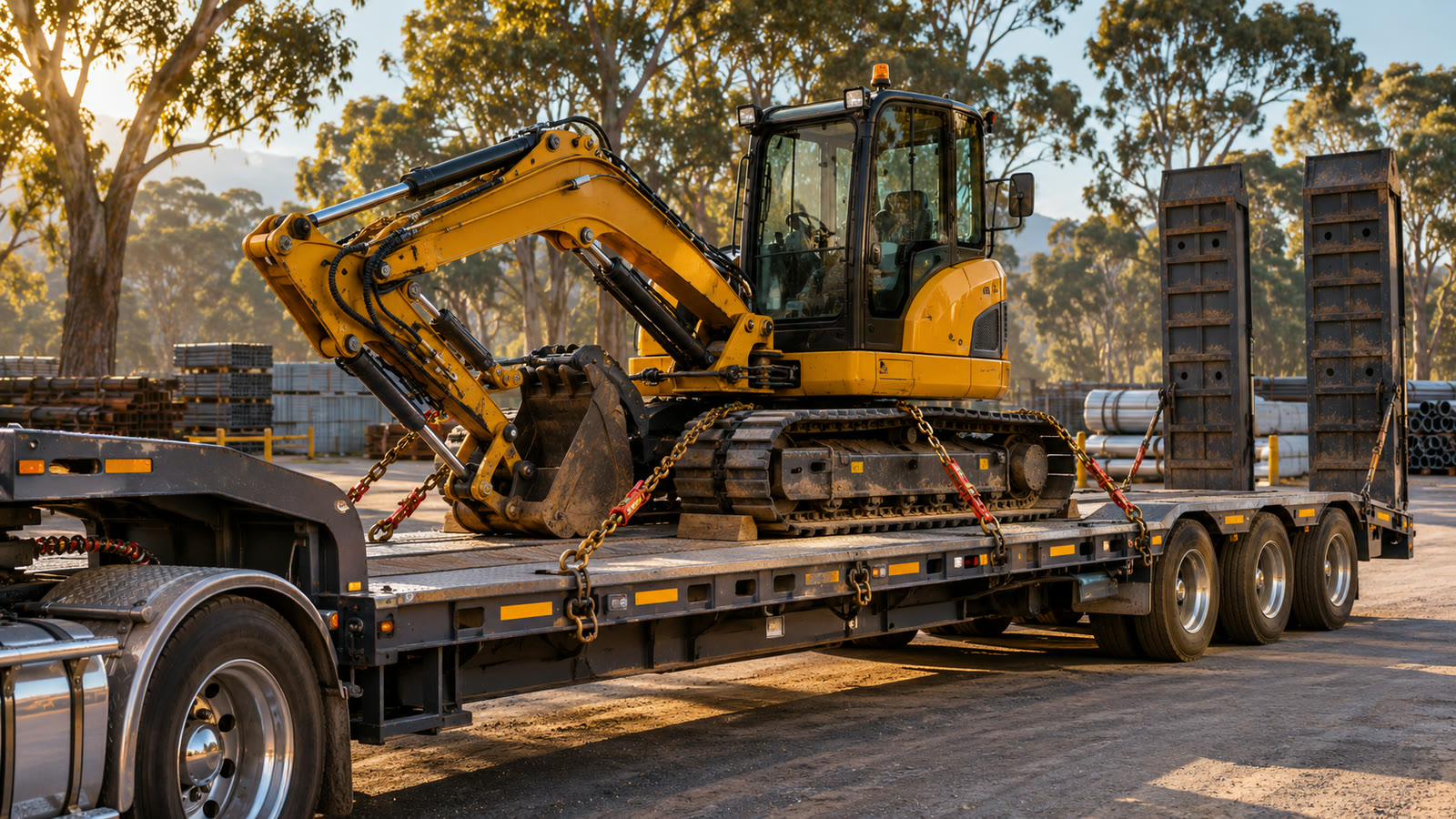
Moving a machine between yards or out to a job site? Tell us its packed size, whether it can drive on, and how it will come off at delivery.
Get a freight quote ↗Still checking dimensions or weight? See how to start an enquiry ↗
Bought a machine from a dealer? Prepare the collection handoff ↓
Details that help a carrier assess your load
- Item count, make/model and whether it runs, steers and brakes.
- Measured transport length, width, height and gross weight in the intended transport configuration. Say which attachments are included in those figures and which travel as separate packed units.
- Who loads and unloads, available equipment and access restrictions.
- Collection/delivery suburbs and postcodes, date window and site contacts later if needed.
Sending a machine with separately packed attachments or parts? List each separate unit or matching group with its own quantity, packed dimensions and gross weight; label any combined weight as the shipment total. If only the total is known, leave per-unit weights unknown rather than dividing it equally. See the worked example for different-sized units ↗. Describe the planned configuration; the carrier still needs to assess it.
If a measurement is approximate, mark it as an estimate. We’ll confirm the details needed for a written quote.
How to prepare comparable freight quotes — check packed measurements, site access and included charges.
Sending a packed component? See crated industrial parts for contents and handling details.
BUYING FROM A DEALER / COLLECTION HANDOFF
Who requests freight, releases the machine and receives it?
If you bought the machine and are arranging freight, say that in your enquiry. Check with the dealer whether purchaser-arranged transport is available and what release or collection requirements apply. Buying the machine does not itself confirm a collection time, loading service or carrier booking.
- You — the freight requester
- Say whether you are the purchaser, dealer or arranging on someone else’s behalf. Identify who would select the carrier and be its contracting and invoice customer; mark this unknown if it has not been agreed. The pickup address alone does not answer those questions.
- The dealer — release and loading
- Check who can confirm the machine is released and ready, any collection reference or appointment needed, and who provides loading equipment and its operator. State which details the dealer has confirmed and which still need checking.
- The receiver — delivery and unloading
- Confirm delivery access, equipment and who can receive and unload the machine separately. A dealer’s loading equipment does not establish arrangements at the destination.
A useful first enquiry
Fictional purchaser’s description: “We are the purchaser requesting transport of one used machine from a dealer yard in Newcastle 2300 to our workshop in Sydney 2000. We expect to select the carrier and be invoiced directly; please confirm the proposed arrangement. Dealer permission for our chosen carrier, release reference and pickup window are still to be confirmed. Dealer reports a loading forklift; capacity, operator and loading method unconfirmed. Final transport dimensions, weight and attachments unknown. Receiver unloading equipment and availability unknown.”
Put the known roles and outstanding questions in the shipment description or optional measurements and access field. You can make an initial enquiry with unknowns; there is no need to supply another person’s contact details at this stage. This example does not establish permission to share their details or appoint a carrier for them.
Before proceeding, confirm the relevant release, loading, receiving and customer arrangements, the written quote scope and the carrier’s booking confirmation. If the dealer has already booked transport, clarify that existing arrangement before treating this as a separate new request.
See preparation responsibilities and direct carrier billing ↗ · Check site access and appointments ↗
Already filling in an enquiry? Return to your original enquiry tab to keep your entries and selected file. This button starts a new enquiry.
Start a machinery collection enquiry ↗Site access and delivery appointments: what needs confirming? ↗